

Comprehensive Contextual Dictionary
Bidirectional search in 12 languages, contextual meaning analysis based on the sentence, collocations, and audio pronunciation.

Learn English Words Permanently in Context with Its Built-In, Comprehensive Modern Dictionary!
With a single click, save the unfamiliar words and phrases you are interested in learning while reading, review them, and make them a natural part of your everyday speech.
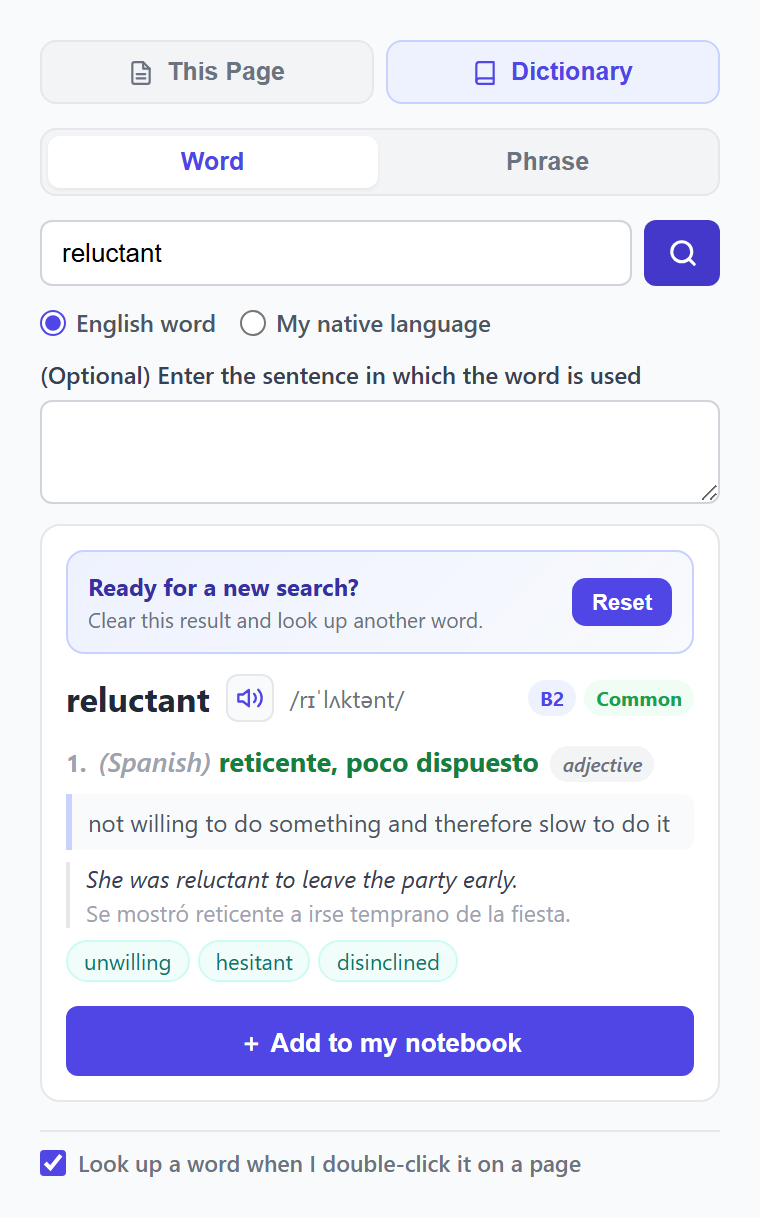
Bidirectional search in 12 languages, contextual meaning analysis based on the sentence, collocations, and audio pronunciation.
Add multiple tags (Add Tag / Manage Tags), personal notes (Add Note), and AI-powered memory associations (Generate Mnemonic) directly from the extension.
When your saved words appear in new texts you read in Dejavu Reader, they are automatically highlighted in colors reflecting their memory stage — reinforcing them across different sentences.
Every word and phrase you add via the web app, mobile app, or browser extension syncs instantly in your central digital notebook.
Save useful words and expressions while you browse, then review them at the right intervals. The extension works fully synchronized with the Dejavu English web app, so the English you meet can become part of your long-term memory.
On any website, double-click a word. You get a proper dictionary entry: meaning in your language, English definition, CEFR level, how common it is, pronunciation, examples, collocations and synonyms. One click sends it to your word notebook, where you can add tags, personal notes, and AI mnemonics directly from the extension.
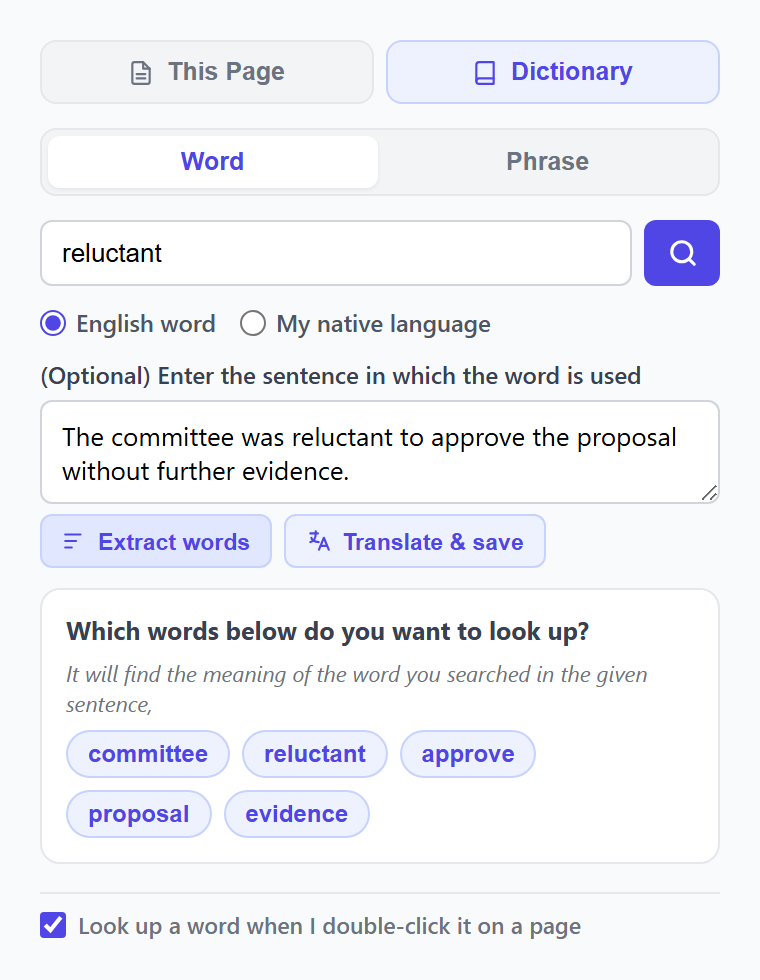
Select a sentence and right-click. The extension shows the root and base form of the word you are looking up, so inflected forms do not get in the way. You learn what the word means in that sentence and how it is used in context. The sentence is saved with the word in your notebook.
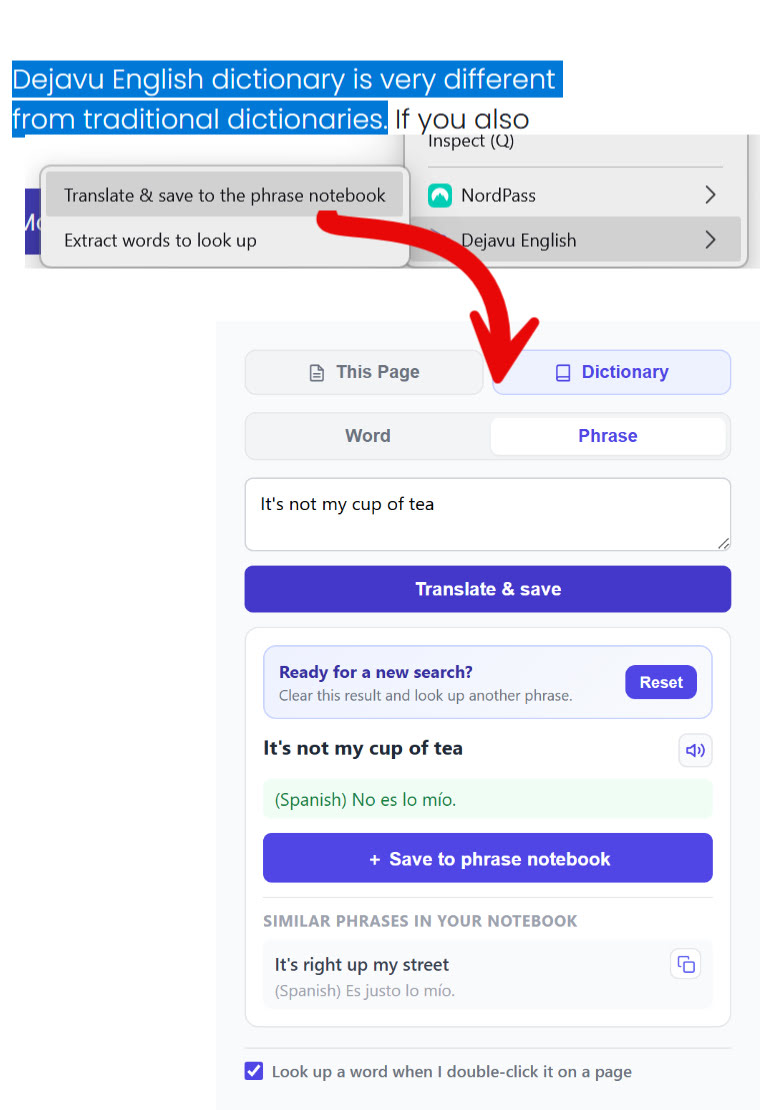
Fluency is rarely a pile of single words. Select an expression, translate it naturally, and save it to your phrase notebook. Dejavu will remind you to practise it with spaced repetition — that is how eloquence is built, from English you actually met.
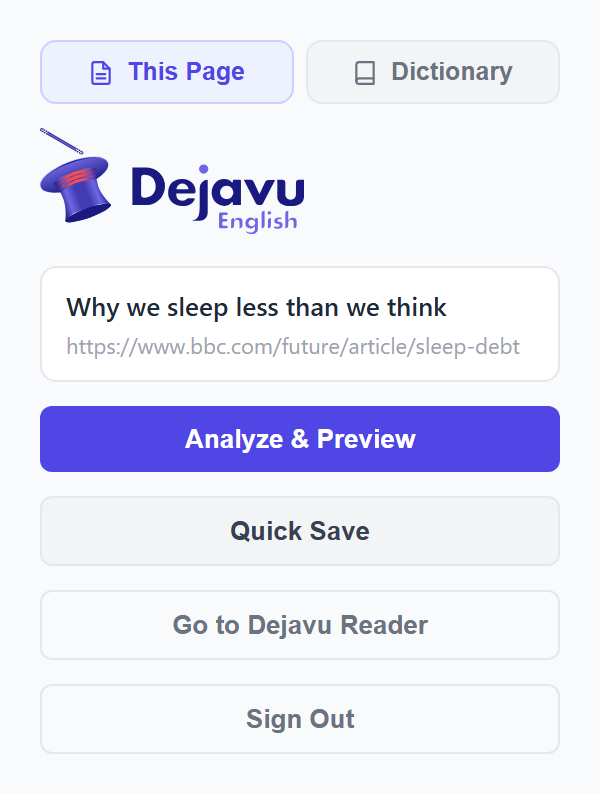
Open the extension’s “This Page” tab on any English article and send it directly to Dejavu Reader. The page is cleaned up from distractions so you can read comfortably and save the article to continue whenever you like.
With the Dejavu Effect™, whenever words from your vocabulary notebook appear in a new article you read in Dejavu Reader, they are automatically highlighted in colors reflecting their memory status (Sensory, Short-term, Long-term). Unfamiliar words are underlined so you can click any word for instant contextual dictionary lookup.
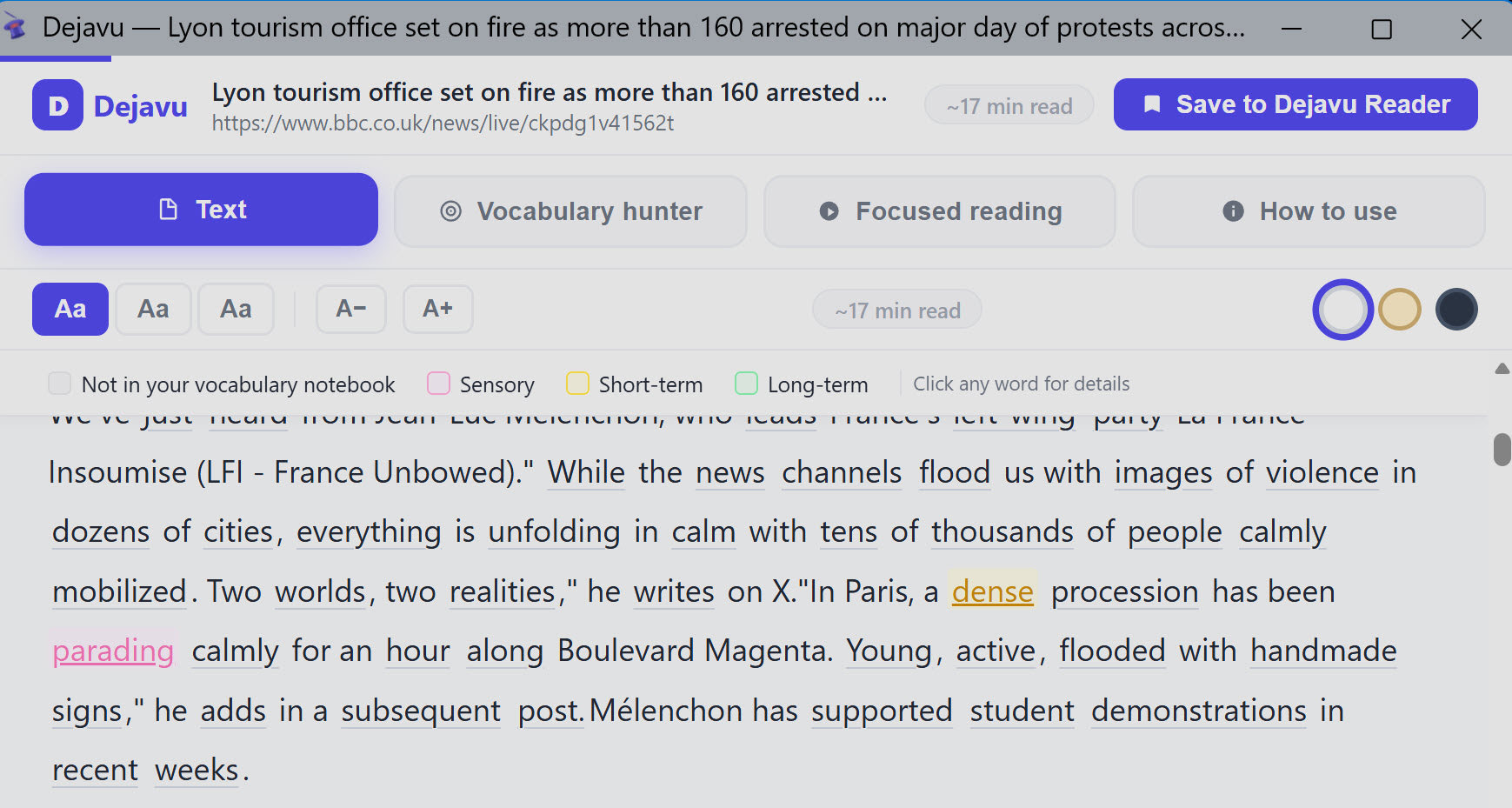
Switch to the Vocabulary Hunter tab to get a complete breakdown of the article’s vocabulary against your personal notebook. See the exact percentage of your notebook words found in the text, explore new candidate words to learn, and inspect how your saved words are used in the article’s sentences.


For Chrome, Microsoft Edge, Brave and other Chromium browsers. Installed from the official Chrome Web Store listing.
Open Chrome Web Store
For Mozilla Firefox. Installed from the official Mozilla Add-ons listing, reviewed by Mozilla.
Open Firefox Add-onsA dictionary that works on every page needs permission to read pages. Here is exactly what that means:
Yes. The extension is free and works with a free Dejavu English account. Some advanced study features on the website belong to the Pro plan, but looking words up, saving them and reading pages do not.
In Anki, you have to build flashcards manually one by one, and words remain disconnected from the texts you read. In Dejavu English, you save a word with a single click while reading; its built-in dictionary automatically fetches its real meaning in that sentence, CEFR level, usage frequency, pronunciation, and examples.
Chrome, Microsoft Edge, Brave and other Chromium-based browsers through the Chrome Web Store, and Mozilla Firefox through Firefox Add-ons. Install it once per browser; each browser keeps its own sign-in.
No. Double-clicking a word opens the dictionary over the page. Selecting a sentence and using the right-click menu works the same way.
Yes. There is a switch at the bottom of the extension’s Dictionary tab. Turn it off and words are only looked up when you type them or use the right-click menu.
They go to your central digital notebooks with the sentence you met them in, synced across web, mobile, and extension. Dejavu tracks how often you need to see them and brings them back with spaced repetition, flashcards, and the Dejavu Effect™ in new texts until they stick.
Install the extension, sign in once. Save the English you meet. Dejavu will remind you until it is yours.